


Dark, Horror Color by Number
4.76.23K Reviews
App Specs
- Version
- 1.223.191
- Updated On
- License
- Free
- Downloads
- 5,000,000+
- Developer
- Fancy Games Studio
- Categories
- Board
- Platform
- Android, iOS
Screenshots
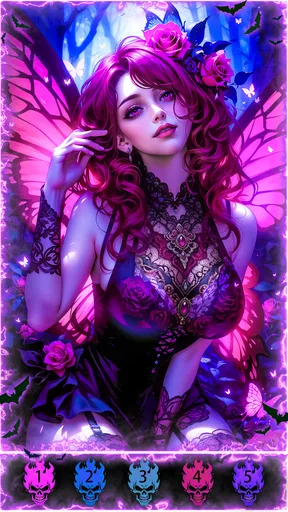
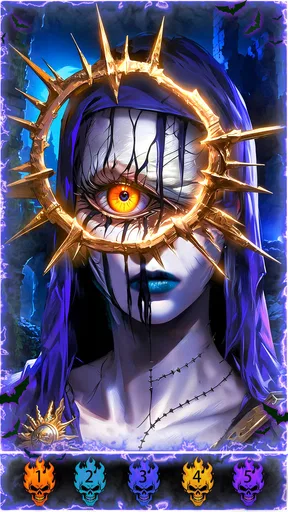
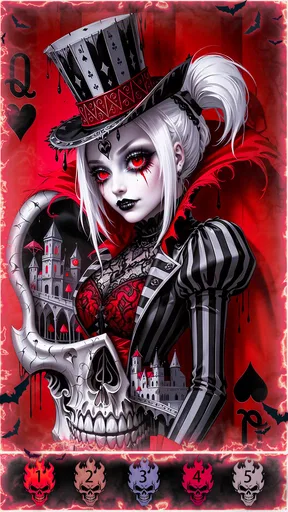

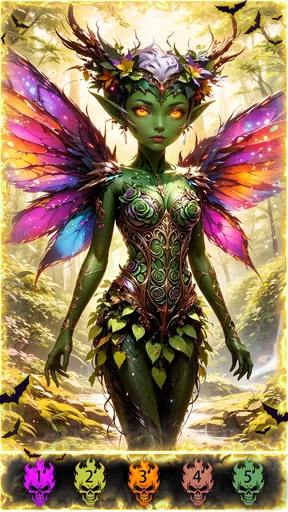
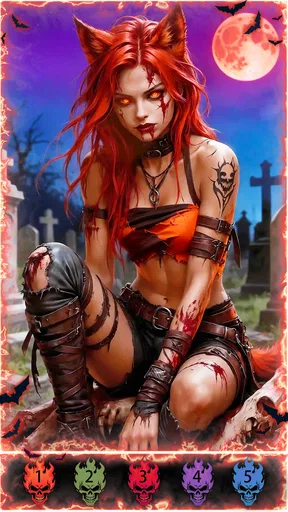
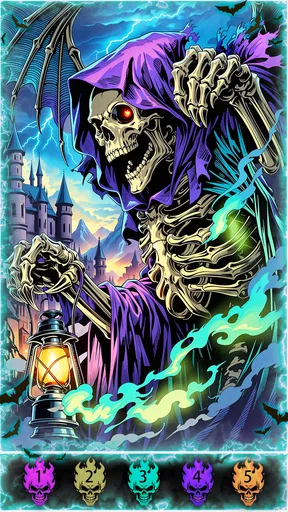
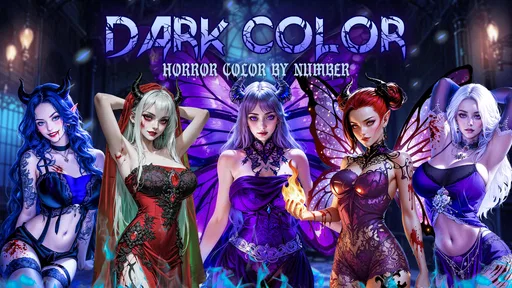
 Analysis by AppCompare
I like a coloring game best when it gives me a clear mood without asking me to learn a complicated set of rules, and this one has an unusually specific mood: spooky, decorative and deliberately calming. Dark, Horror Color by Number is a board-style coloring game from Fancy Games Studio, built around filling numbered spaces in eerie illustrations. It suits short breaks, quiet evenings and anyone who enjoys Halloween imagery beyond October. The main appeal is the contrast between creepy subject matter and a simple, steady activity; the main caveat is that this is a focused niche, not a general-purpose art studio.
A low-pressure game to pass around
In a household, the easiest way to enjoy this kind of game is to treat a picture as a small shared activity rather than a contest. One person can choose an illustration, then hand the device over so someone else can fill a few matching spaces. The numbered approach makes it approachable even for someone who does not draw, and the spooky theme gives people an easy starting point for chatting about which image they would pick.
That hand-off works best when everyone is comfortable sharing the same screen and taking turns. I would not assume that progress, preferences or finished pictures are separated by household member; anyone sharing a device should agree on how to use it before starting. If separate personal collections or distinct profiles matter to you, a coloring app explicitly designed around those needs would be a better fit.
Make the shared-device routine simple
A practical way to avoid stepping on someone else’s session is to decide whose turn it is before opening a picture, especially if several people want to color at once. On a phone, taking turns on one illustration is more natural than crowding around the screen for long stretches. A tablet can make the shared view easier, but the same basic boundary still applies: keep the device with the person coloring and pass it on when they are ready.
For a quick break, I would choose a design that looks inviting rather than opening the game with the expectation of finishing a whole picture. Color-by-number play can be paused mentally at a natural point: complete a patch of one shade, then stop when attention is needed elsewhere. That small habit makes the game easier to fit around dinner, a commute break or a quiet moment before bed, without turning a relaxing activity into another task to finish.
Who will enjoy the eerie tone?
The illustrations are aimed at people who like horror-inspired decoration, monsters and Halloween-style scenes, but the format itself is gentle. The Teen age rating is a useful signal for households choosing entertainment, though it does not replace a parent’s judgment about a particular player’s comfort with creepy imagery. I would preview the game together if a younger teen is unsure about horror themes, then let their reaction guide whether it belongs on a shared device.
It is also worth distinguishing spooky art from a horror game built around danger or suspense. The activity here is coloring, so the appeal is visual atmosphere rather than chasing a story or surviving frightening encounters. That makes it a possible choice for someone who enjoys haunted-house illustrations but wants a quiet pastime. Someone who dislikes dark imagery, prefers bright cheerful pages or wants active gameplay should look elsewhere.
Worth Reading Before You Choose

EA SPORTS FC Mobile 26 Is a Bigger Football Game, but It Takes Time

Flipboard Shows What News Apps Must Do Beyond the Feed

Switching to Android Auto Means Rethinking Your Driving Routine

Google Calendar Makes a Crowded Week Easier to Manage

Ludo King Makes the Most of the Minutes Between Plans

Baby Panda World Brings Quick Play to Modern Phones, but Its Game Library Feels Busy
Getting Started with the Shadows
When you first open Dark, Horror Color by Number, you’re greeted with a gallery that’s more Addams Family than art gallery. The interface is pretty straightforward, so you won’t need to dig up an ancient spellbook to figure things out. Just pick a picture that strikes your fancy—maybe a creepy castle or a sinister-looking pumpkin—and you’re off.
The app operates on the classic color-by-numbers principle. Tap on a color, and the app highlights the corresponding sections in your chosen artwork. It’s simple, intuitive, and there’s something delightfully satisfying about watching these dark, intricate designs come to life under your fingers. Plus, it’s a great way to unwind after a long day of ghost hunting or whatever it is you do.
A Palette of Ghoulish Delights
One of the coolest aspects of this app is its variety of eerie designs. From haunted houses to creepy critters, there’s no shortage of spooky subjects to explore. It’s like Halloween all year round, without the sugar rush from too many candy corns. And don’t worry about running out of options; new designs are added regularly, keeping your coloring experience fresh and fearsome.
The color palette is just as hauntingly beautiful as the designs themselves. Expect lots of blacks, reds, and purples, with the occasional splash of green to give your monsters that extra glow. It’s a perfect mix for creating art that’s both dark and delightful.
Why You Might Get Hooked
Now, let’s talk about why you might find yourself coming back to this app again and again. First off, it’s a great stress reliever. There’s something incredibly calming about focusing on coloring while listening to the eerie background music. It’s like meditation, but for those of us who prefer ghost stories to yoga poses.
Moreover, Dark, Horror Color by Number can be a surprisingly social experience. You can share your completed masterpieces with friends, challenging them to see who can create the most chilling artwork. It’s a fun way to connect and maybe even spark a little friendly competition.
Choosing it over other coloring games
Compared with a broad coloring book app, this game trades subject variety for a more consistent gothic look. If you want flowers, landscapes, mandalas and portraits in one place, a general coloring collection will probably keep you interested for longer. Here, the narrower visual identity is the point: I would choose it when I’m specifically in the mood for creepy scenes, not when I want an all-purpose library or the freedom to draw my own picture.
It also sits on the quieter side of board games. There is no need to plan moves or compete over a score in the coloring activity, so it works when I want something low-effort while waiting for food or winding down at home. If you are looking for strategy, a strong narrative, or multiplayer play as the central attraction, a conventional board or puzzle game is a better match. The social angle is more about showing a finished picture or taking turns than about deep coordination during play.
Small habits that make coloring smoother
When an illustration has many tiny spaces, I find it easier to focus on one color at a time instead of jumping around the picture. The color-selection highlight gives me a visual target, and completing a cluster before switching shades helps keep the image readable as it develops. If I start to lose track of where I was, I pause and look at the overall picture rather than tapping quickly across the screen; that keeps a relaxing session from becoming a hunt for the next tiny section.
I also choose artwork by the time and attention I have, not just by its thumbnail. A detailed image is satisfying when I can settle in, but a simpler-looking choice is more sensible for a short wait between errands. That is a useful trade-off for shared use, too: if another person may want the device soon, picking a picture that feels manageable makes it easier to hand over without feeling that a long session was interrupted.
The game is free to start, with optional in-app purchases priced from $0.49 to $59.99 per item. I would treat that range as a reason to check the purchase details before confirming anything, particularly on a shared device. Agreeing that purchases need the device owner’s approval is a straightforward household boundary; it avoids confusion without assuming the game has a particular parental-control or account feature.
What to expect before installing
The game has a 4.7 average from around 45,000 ratings, and it has been installed over 5 million times. Those figures suggest that the format has found an audience, but they do not tell me whether its specific horror style will suit you. The title is free, though optional purchases mean “free” does not necessarily describe every choice available once you are playing. Its Teen rating is another useful consideration if the phone or tablet is shared with younger players.
It was released on April 23, 2020, and the current version is 1.221.104. It requires Android 7.0 or later. Those details make it easier to judge basic compatibility, but I would still check the device’s available storage and the store page on the device before installing, since those practical details can vary. The developer is Fancy Games Studio.
One reasonable question is whether this is suitable for a player who is not confident with art. I think so: the numbered areas and highlighted color targets reduce the pressure to invent a composition or choose every shade. But that also defines a limitation. If you want to sketch freely, mix colors yourself or make a picture from a blank canvas, a drawing app will offer a different kind of creative control.
Another consideration is whether it makes sense for a family to share. It can, if the household is comfortable with one person using the device at a time and with everyone agreeing on purchase boundaries. For independent collections or personal progress, separate devices or an app that clearly supports individual profiles would be more suitable. I would also keep the Teen rating in view rather than assuming that all cartoonish-looking horror art feels mild to every child.
Final Thoughts: A Hauntingly Good Time
In conclusion, if you’re a fan of horror and looking for a creative outlet, this app is definitely worth checking out. It’s not just about coloring; it’s about immersing yourself in a world that’s as creepy as it is captivating. And who knows, you might even discover a hidden talent for creating spooky art!
So, whether you’re a seasoned horror fan or just someone looking for a new way to relax, give Dark, Horror Color by Number a try. You might just find it’s the perfect blend of chills and thrills. Just remember to keep the lights on if things start to get a little too spooky for your liking!
My household verdict
I would recommend it to a horror-loving household that wants an easy, visual pastime people can take turns with, especially when the device is already part of a quiet evening routine. Its clear coloring mechanic keeps the barrier to entry low, while the dark artwork gives it more personality than a generic set of numbered pictures. For me, that combination is the reason to choose it over a broad coloring app when the mood is specifically gothic.
I would skip it if the intended player finds creepy imagery uncomfortable, if the family needs separate user spaces, or if the goal is freehand art or a more involved game. The purchase range also makes a little coordination worthwhile on shared hardware. With those expectations set, it can be a pleasant way to fill a spare stretch of time: choose an image, work through a few colors, and pass the device along when someone else wants a turn.
Pros
- Immersive horror-themed artwork
- Simple and relaxing gameplay
- Regularly updated with new images
- Encourages creativity and focus
- Perfect for fans of dark aesthetics
Cons
- Limited color palette options
- Ads can be intrusive at times
- Some images may be too dark
- Requires internet for updates
- In-app purchases can add up
FAQs for Dark, Horror Color by Number
What is Dark, Horror Color by Number and how does it work?
Dark, Horror Color by Number is a coloring app that combines the thrill of horror themes with the relaxation of coloring by numbers. Users select from a variety of eerie designs and fill them in using a numbered guide. This app is perfect for those who enjoy a blend of creativity and a spooky atmosphere.
Is Dark, Horror Color by Number suitable for all age groups?
The app is primarily designed for teens and adults due to its horror-themed content, which may be unsettling for younger audiences. Parents should review the art and themes to ensure they are appropriate for their children, as some images might be too intense for younger users.
Are there in-app purchases in Dark, Horror Color by Number?
Yes, the app offers in-app purchases that allow users to unlock additional content, such as premium horror-themed images and tools. While the basic version is free, users can enhance their experience with these optional purchases, adding more variety and features to their coloring options.
Does Dark, Horror Color by Number require an internet connection?
The app can be used offline once the images are downloaded, making it convenient for coloring on-the-go. However, an internet connection is required initially to download new images and access updates or premium content, ensuring you always have fresh material to explore.
How does Dark, Horror Color by Number handle user privacy?
The app prioritizes user privacy by collecting minimal data necessary for functionality and improving user experience. It adheres to standard privacy policies, ensuring that any personal information is securely managed. Users can review the full privacy policy within the app settings to understand how their data is used.


